DIY Layout Creator
Introduction
DIY Layout Creator (DIYLC) is a specialized software tool designed for hobbyists and electronics enthusiasts to create circuit layouts on stripboard, perfboard, PCB, and point-to-point wiring. It provides an intuitive, drag-and-drop interface for placing components, arranging connections, and visualizing circuit designs before assembly. With a built-in component library and customization options, it allows users to design layouts with precision and clarity. The software is particularly useful for designing, analyzing, and debugging guitar wiring diagrams, helping musicians and builders plan and troubleshoot custom wiring configurations for pickups, switches, and controls. Its versatility makes it an ideal solution for DIY electronics projects, prototyping, and documentation.
Project Examples
Point-to-point tube amplifier

Guitar wiring

PCB tube amplifier

Perfboard guitar effect

5-Minute Quick Start & Shortcut Cheat Sheet
1. System Requirements & Installation Quick-Check
DIYLC runs cross-platform on Windows, macOS, and Linux. The current release is built on Java 21 LTS.
Installation by Operating System
- Windows (64-bit):
- Download diylc-6.x.x-win64.exe (Installer) or diylc-6.x.x-win64.zip.
- Includes bundled Java JRE. If Windows Defender flags the file, click More Info → Run Anyway.
- macOS (Intel & Apple Silicon):
- Download diylc-6.x.x-osx-silicon.zip (M-series) or diylc-6.x.x-osx-intel.zip.
- Extract and drag DIYLC.app to your Applications folder.
- If macOS blocks launch, navigate to System Settings > Privacy & Security and select Open Anyway.
- Linux (64-bit):
- Download diylc-6.x.x-linux.zip, extract, and double-click the executable AppImage.
- Universal Package (All Platforms):
- Requires Java 21+ installed (java -version).
- Run via run.bat (Windows) or run.sh (macOS/Linux).
2. Interface Overview
- Component Library (Left Drawer): Browse components grouped by category (Boards, Passive, Semiconductors, Guitar, Tubes, Schematics, Shapes).
- Canvas (Center Area): The grid-based work region with adjustable rulers (mm/inches) and zoom controls.
- Properties & Layer Tree (Right Panel): Displays properties of selected components and Z-order layer management.
- AI Assistant (Right Drawer): In-app chat for troubleshooting, design tips, and circuit questions.
3. Essential Key Commands & Controls
- Q: Jump to search the component tree.
- ~ (Tilde): Repeat and place another instance of the previously created component.
- Ctrl / Cmd + D: Duplicate selected component(s).
- Ctrl / Cmd + E: Edit selected component properties (value, package, color, etc.).
- Alt / Option + Left / Right Arrow: Rotate selected component(s) counter-clockwise or clockwise.
- Arrow Keys: Nudge selected component by one grid increment.
- Shift + Arrow Keys: Nudge selected component by one pixel for precision alignment.
- Shift (while dragging): Lock movement along a single axis (horizontal or vertical).
- Ctrl (while dragging): Temporarily toggle Sticky Points to prevent unwanted snapping.
- Ctrl / Cmd + G / Ctrl / Cmd + U: Group or ungroup selected components.
- Ctrl / Cmd + 1 – 6: Toggle visibility of layers (Chassis, Board, Trace, Component, Wiring, Text).
- Ctrl / Cmd + F: Find a component by name, select it, and pan to it on canvas.
4. Key Workflows & Features
Creating a Layout
- Place a Board: Drag a Veroboard, Perfboard, or PCB shape from the Boards category onto the canvas.
- Add Components: Drag resistors, capacitors, transistors, or ICs onto board holes/pads.
- Route Connections & Wires: Use the Connectivity menu to add flexible wires, jumpers, trace cuts, or ground busses.
Analysis & Debugging Tools (Analyze Menu)
- Guitar Wiring Analyzer: Verifies switch matrix combinations, coil splits, phase relationships, and hum-canceling positions.
- Virtual Multimeter: Graphically traces electrical paths between two points as series/parallel sub-circuits.
- Compare With…: Compares two layouts or schematics to check if they are electronically equivalent.
- Highlight Connected Areas: Click any point/node to highlight all connected paths on the board.
5. Exporting & Sharing Your Work
- Image / PDF Export: Go to File > Export Image/PDF for high-resolution documentation.
- Bill of Materials (BOM): Go to File > Export BOM to generate a complete list of required parts and quantities.
- Gerber PCB Fabrication: Go to File > Export Gerber to generate manufacturing files for PCB fabricators.
- DIYLC Cloud Integration: Use the Cloud menu to search, download, and publish community layouts.
6. Keeping DIYLC Updated
- Look for the glowing lightbulb icon in the bottom-right corner of the status bar when an update is available.
- Official download channels: GitHub Releases and Patreon.
- Mac users: in most instances, the Gatekeeper will block DIYLC and mark it as damaged because it’s a 3rd party app from an independent vendor (me). This document covers how to allow DIYLC on your Mac. Alternatively, all Patreon supporters get access to an Apple-notarized version of DIYLC that is hassle free.
- GitHub Release Page – get the latest version for all platforms.
- GitHub Wiki Pages – to access user documentation as well as developer documentation.
- GitHub Issues Page – to request a feature or report an issue or bug.
- Patreon – support further development and get access to exclusive content, AI credits and hassle-free Mac builds.
- Cloud Project Browser – to browse, search and download community .DIY files.
- Discussion Group – for any questions of DIYLC-related discussion with the wider community.
- 🆓 Free for Life: A true old-school offline app—the app you download is yours forever and the files you created are yours.
- 💻 Platform Independence: Runs locally on any machine capable of running Java JRE/JDK 21 or newer.
- 🖱️ Intuitive UI: Easy-to-use interface; most operations can be done seamlessly with a mouse.
- 🎛️ Versatile Designs: Draw PCB, perfboard, stripboard, or point-to-point layouts, schematics, guitar wiring diagrams or custom faceplates.
- 🔌 Highly Extensible: API allows custom plug-ins and new components to be added easily.
- 🚀 Optimized: Improved performance and reduced memory consumption.
- 💾 Smart Defaults: Save default values individually for each component property.
- 🖨️ Export Options: Export outputs to image, PDF, or printer.
- 📄 Toner Transfer & Gerber: Export PCB trace masks for toner transfer or Gerber files for fabrication.
- 📋 Bill of Materials: Create a BOM within the project or export to multiple file formats.
- 🔍 Guitar Wiring Analysis: Analyze guitar wirings and visualize detailed pickup configurations for each switch state.
- ☁️ Cloud Integration: Share your projects, search the cloud, and download other users’ designs.
- 🤖 AI Powered: Features a built-in AI assistant to help answer general electronics questions, guide you through DIYLC’s usability, and provide insights or troubleshooting for the specific circuit you are designing.
- ⚡ Circuit Analysis: Various tools aimed to help you debug and analyze your circuits.
- 📈 SPICE Netlists: Export circuits directly to SPICE-compatible netlists.
- Version 1 (2006): Written in Delphi for Windows. It was tailored strictly to guitar pedal circuit boards (vero, perfboard, and simple PCBs) and instantly replaced generic graphics software within the pedal-building community.
- Version 2 (2008): Rewritten in Java to enable cross-platform functionality and introduced an XML-based component format. While it expanded into schematic and chassis wiring diagrams, defining components as purely visual primitive shapes limited custom behavior, impacted performance, and lacked backwards compatibility with Version 1 files.
- Version 3 (2011): Completely rewritten from scratch, made open-source, and redesigned with a modular “component-as-code” architecture. It introduced full backwards compatibility, vacuum tube and guitar wiring component libraries, and DIYLC Cloud for sharing layouts.
- Version 4 (2020): Modernized on Java 8, introducing initial circuit analysis and debugging features that turned DIYLC into an interactive design assistant.
- Version 5 (2025): Upgraded to Java 17 and Maven, introducing built-in AI tools (AI Assistant and AI Analyzer) and Apple-notarized macOS distributions.
- Version 6 (2026): Adopted Java 21 to enhance runtime efficiency, memory management, and overall system performance, solidifying a stable foundation for ongoing AI-assisted design features. Expanding to modern DIY projects including SBC’s, displays, sensors, etc.
- Become a Patreon.
- Make a one-time donation with PayPal.
- Help with adding the information to the user manual or other project documentation.
- Extend the component base, read this wiki to learn how to create new components.
- Add a new functionality though plug-ins, read this wiki to learn how to create new plug-ins.
- Big thanks goes to folks from the following online communities for contributing ideas and helped test the app: DIY Stompboxes, AX84 and Free Stompboxes.
- I’m happy to report that DIYLC 4 is the fastest version ever. YourKit Java Profiler helped tremendously with memory and performance profiling and pointed me to places in the code that took longer to run or consumed more memory than I’d like them to. I strongly recommend this tool to anyone developing Java or .NET applications because it helps finding bottlenecks and allocation hot-spots very fast.
YourKit is kindly supporting open source projects with its full-featured Java Profiler.
YourKit, LLC is the creator of innovative and intelligent tools for profiling Java and .NET applications.
Take a look at YourKit’s leading software products: YourKit Java Profiler and YourKit .NET Profiler
7. Useful Links
Features
The 20-Year Story & Vision
The Origins (2006)
DIY Layout Creator began in 2006 with a post by Branislav Stojković (bancika) on the DIY Stompboxes forum. At the time, pedal builders relied on generic graphics applications like MS Paint or Visio, tediously copy-pasting components from hand-drawn templates to map out stripboard and perfboard layouts. DIYLC was envisioned as a free, dedicated tool designed by a builder specifically for fellow makers.
Evolutionary History
Project Vision
DIYLC is maintained primarily by a single developer but remains deeply rooted in the open-source DIY maker community. Unlike complex professional EDA suites (e.g., KiCAD or Eagle), DIYLC’s core philosophy is to remain focused, fast, and accessible. It prioritizes real-world, practical DIY workflows—such as point-to-point wiring, board layouts, and wiring diagrams—making the design and documentation process clear and enjoyable.
Master DIY Layout Creator and streamline your design workflow!
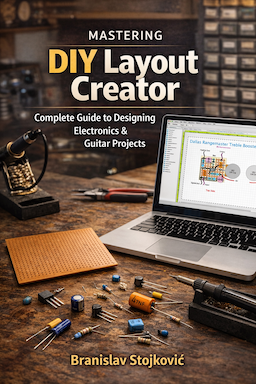 |
The Official DIYLC Guide (v1.0) is a comprehensive 174-page eBook that goes way beyond the basics. It features step-by-step design workflows for everything from multi-layer PCBs to hot-rodded point-to-point tube amps. Learn to master advanced tools like the Virtual Multimeter, Netlist generation, the Guitar Wiring Analyzer, and the new AI Assistant. Click here to grab your copy! Buying v1.0 guarantees you free lifetime updates as the app evolves. Active Patreon supporters get an additional 50% off or a completely free copy. Check the Patreon feed for your VIP link! |
Want to contribute?
DIYLC is provided free of charge and can be used and redistributed freely. Please note that it takes a lot of time and effort to build, test and maintain it and to interact with the growing community of users. If you find DIYLC useful and want to support further development, these are some of the ways you can contribute
License information
Source code is released under GNU General Public License version 3. Contact the project owner to obtain a license in case you plan to use the source code, or any part of it, in commercial purposes.




Version 2 doesn’t seem to work on 64 bit Linux.
I’m using Ubuntu 10.04 and the program starts but the library window is blank.
The main window loads fine and I can use all the toolbar menus.
Just the Library window won’t render any components.
did you make sure that working directory is set to the where the JAR is?
Great soft 🙂
I use LC 2x, but i can’t print the drawing….
I want to actualize the colection of layouts of version 1; how i made it please mail me rbarriost@yahoo.com; ok if there are a coleccion of layouts for the version 2!!!!!!!!!! please!!!!!!!!!!!!!!
Thanks for the reply, Bane. Unzipping fixed it. (how embarrassing…)
I was very excited to find this, but I am having problems opening it. I am a vista user and when I try to open V2, I get a Java Virtual Machine Launcher error that states, “Could not find the main class: diylc.MainFrame. Program will Exit.” Any ideas? Thank you for all your hard work in developing this and maintaining the Q&A.
Do you have everything extracted or trying to run it directly from the zip?
Cheers,
Bane
Oops, the site does not like xml… try this, but add angle brackets at the beginning and end.
drawInstruction condition=”if($i==(x1 x2)/2,1,-1)” object=”rectangle” x=”$i” y=”$j” width=”grid-2″ height=”grid-4″ innerColor=”F0F0F0″ outerColor=”888888″ thickness=”1″ alpha=”1″/
Just an addendum. For a stripboard with a single centre column, create a new stripboard.xml in the library directory, give it a new name (first line in the XML) and insert the following line before the innermost drawInstructions (the one most indented)
With this, if you have odd-number-width perfboard, the centre column will be ‘highlighted’
Interesting piece of software, but have two items that I think should be filed under bug reports.
First, “Solder Pad” component is buggy. If you drag one pad and pass over another pad, the pads you pass over disappear. Also, if you highlight multiple pads then copy-paste, then try to move the new selection, they move erratically!
My trouble with the pads stems from trying to re-create my particular stripboard shape (7 – 1 – 7 configuration). Would be nice to be able to specify the layout, or at least to specify properties (like side margins) so that we can insert multiple stripboards side-by-side while maintaining the real pad spacings.
Still have alot of experimentation to do, but so far I like it!
its great the two are working good job, thanks a lot!!!!!!!!!!!!!!!!!
I downloaded it as 2.1.3 (I think)..
Brian.
Hi there,
Are you referring to java version 2.x or old windows only version 1.x? In any case, performance issues will be hopefully fixed. I made a new engine that should be faster.
Cheers,
Bane
An excellent little gem but I have found a few problems.
1) After a few operations I get an error message and need to restart the program. Is there a buffer that gets too full?
2) After fitting many components/track cuts the prog goes extremely slow. More components/more slowly.
3) If too many components of the same type eg resistors are used the list scrolls off the bottom of the screen
Will these problems be fixed in the new version?
I am using a version dated 18/10/2006, I assume this is the latest.
Many thanks for a fine product…
@salman
there’s no way to specify board size, but I agree that may be a better way so I’ll try to implement in the new version. As for the library under linux, I believe that has been discussed on DIYSB forum few days ago. I’m not linux guru so can’t help much with that. I only know that you need to have DIYLC dir as current dir when running. Here’s the link
http://www.diystompboxes.com/smfforum/index.php?topic=44838.1520
Cheers,
Bane
why are the library icons invisible in Ubuntu Linux?
how do I switch to inches and is there an option in the beta version to set the size of the board (perf) by specification and not drawing (making a 40×55 is easier this way)?
Text on potentiometers is upside down when the the component has the solder lugs to either side.
Wire mid-point-thingies appear and disappear with irritating lack of consistency.
It would be really nice if wire ends could stick to the thing they end at (boards, pots, etc), that would really make it much easier to move things around, when cleaning up the design.
I’d also like to be able to close the properties box with “enter” for OK, and “esc” for cancel.
Most if not all of these will be implemented in the next version…
Cheers
Nice work! I dont know if its a missing feature or that i just haven’t found it yet, but i can’t seem to be able to create a schematic and then drag the components on the stripboard with the lines still attached. Or is there a kind of auto-layouter?
With regards,
Reinoud
Nice work Bancika! Version 1 was painfully slow- 1 second between clicks?! Version 2 is much better. Would be nice to have parts for non-insulated and Cliff jacks, DC sockets and battery connectors, diodes and LEDs too (I can only find schematic symbols for diodes presently…)
M
yeah as an option, like being able to put angles on a trace while the components are locked to the solder points. then you could lay something out like a schematic taking up lots of space, then sort of pull it and fold it together and angle the traces to make it smaller and neater.
hope this makes sense i am terrible at explaining stuff.
you mean break down a trace in two instead of moving it? I think that it wouldn’t be a good idea to always work like that because you wouldn’t be able move traces at all. It may be useful to have an option that does it on demand, either Ctrl key or something like that.
Cheers